

Modernizing a near-20 year old SAP System Manager
TL;DR
I worked closely with SAP System Administrators and the founder of Alpaca Operator to structurally and visually update it, improving usability.
Clutter made Alpaca Operator cumbersome to use
Alpaca was built by System Admins for System admins, each feature added when and where it was needed at the time, leading to a confusing usability experience over time.
Help hidden features shine
Spring clean features to distill what is needed and what is clutter, structure the UI for clarity and return usability to the tool.
A lean, elegant solution for very complex work.
The work covered workshops, product strategy, interaction design, UI, and accessible handoff.
"Alpaca can do everything you could dream of, it's finding the features that's the problem."
Operational expertise met design perspective
Combining my perspective as a new user and a UX professional with the expertise of SAP System Admins and the founder of Alpaca in workshops shaped the new direction.
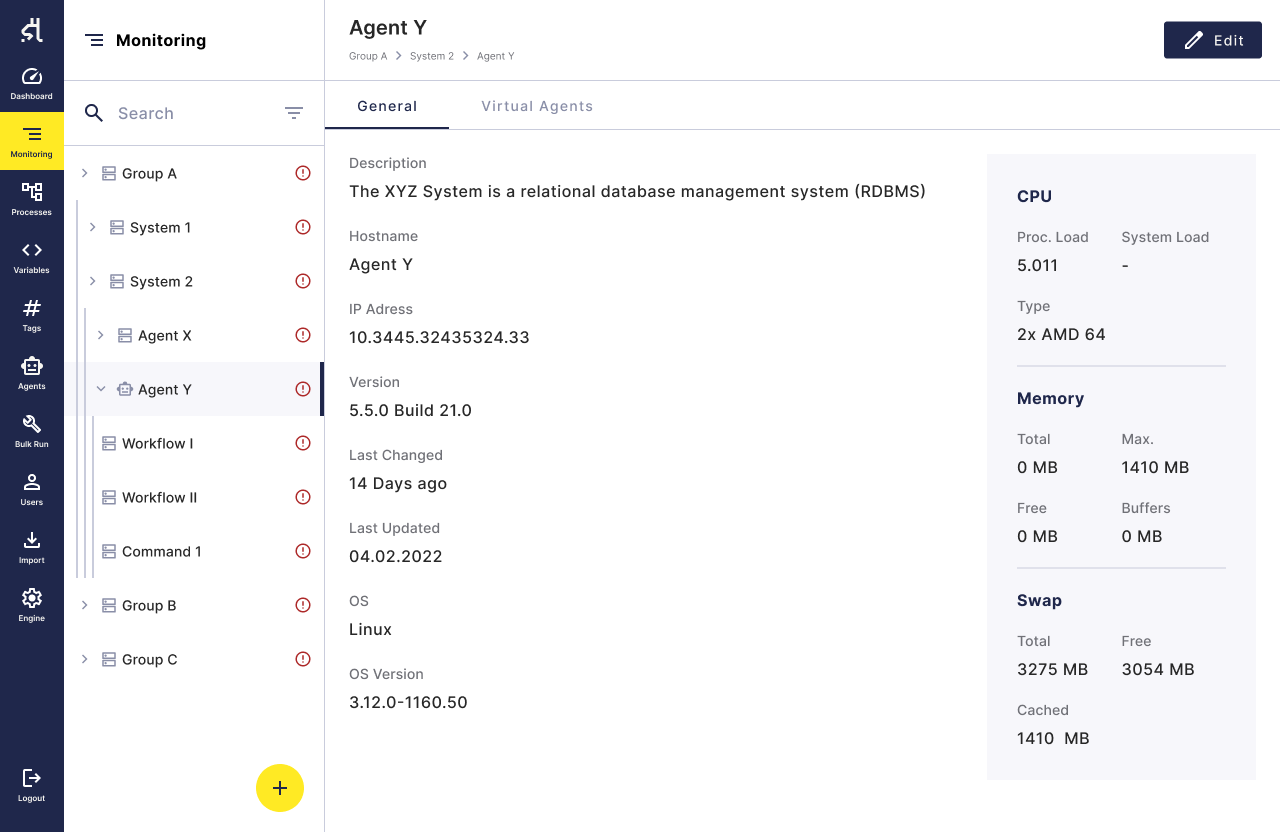
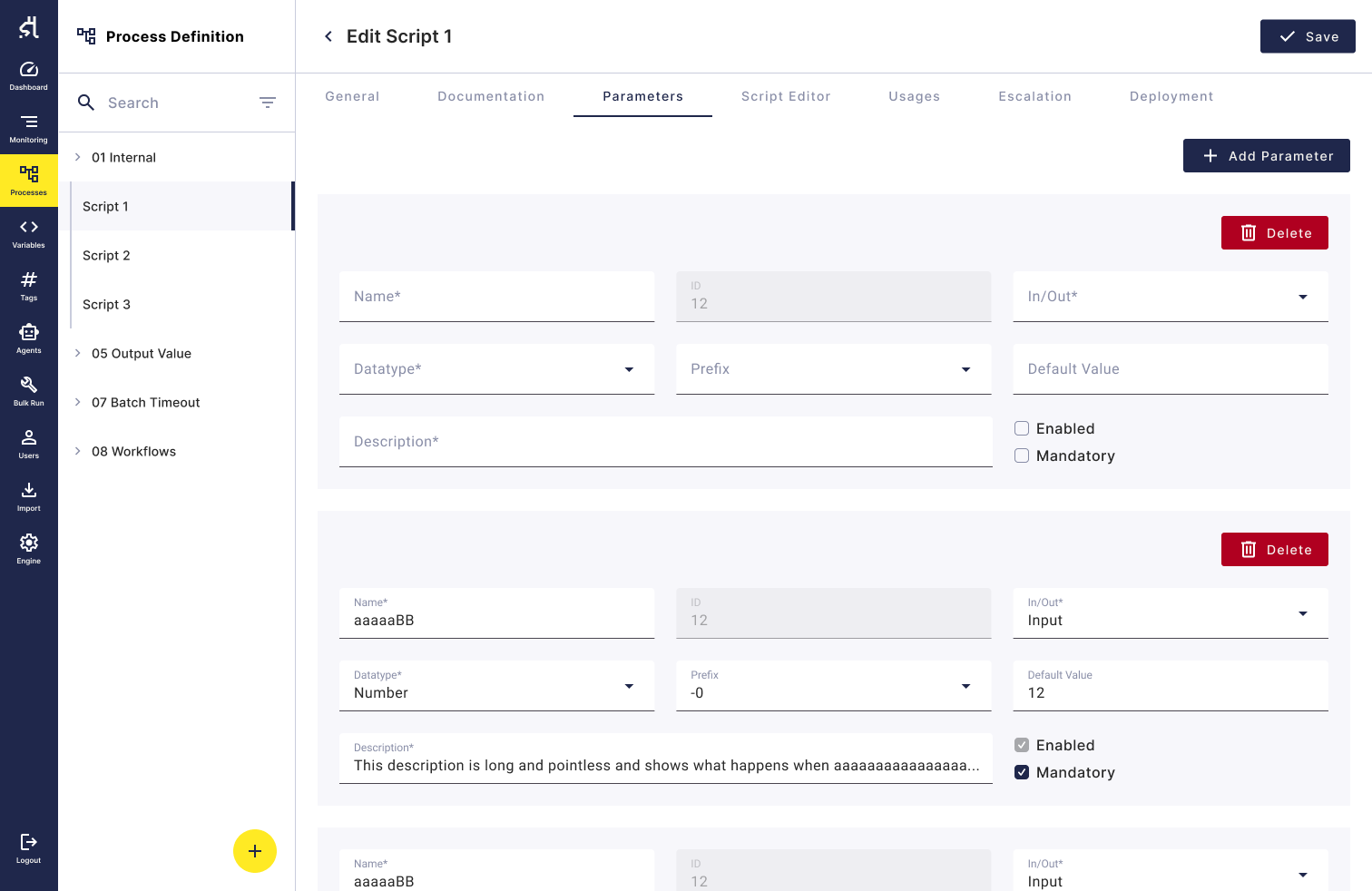
Three moments that make SAP System management easy
The monitoring view structures systems, the process definition offers clean workflow versioning, the import makes integration easy.
.png)
Implementation speed beat fancy UI
To handle the massive amount of frontend work neccessary on Alpaca in a relatively timely manner, I decided to rely on a pre-existing component library (Material UI) instead of re-inventing the wheel.
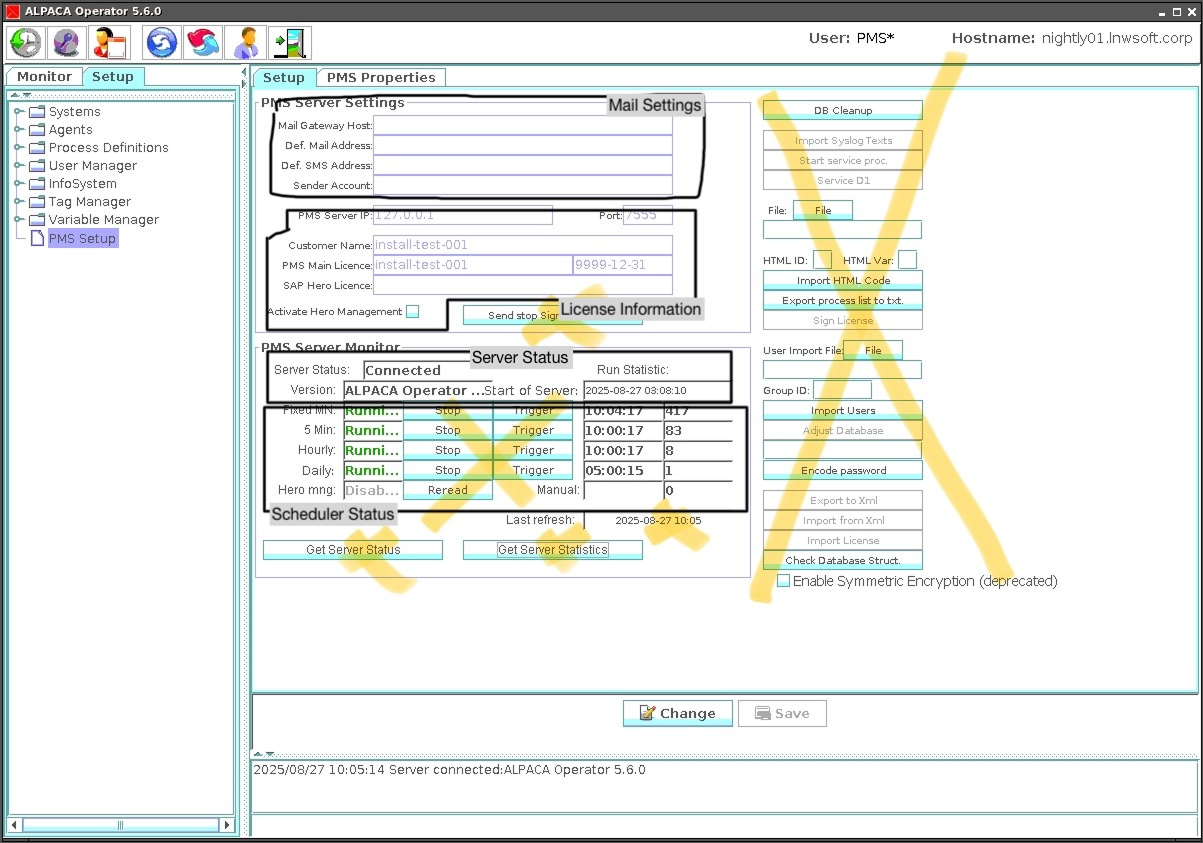
From "everything'' to ''everything good''.
The initial feature scope was so bloated that it took us several months to even find the full set of all available features.
Accessibility carried through implementation
Detailed handoff documentation helped engineering meet WCAG 2.2 AA and EAA requirements without a later compliance retrofit.

What I'd carry into the next Project
The biggest impact came from simply understanding the product. Taking the time initially to get to know both the users as well as the tool made reworking the UI/UX much easier later on.
Want to see more case studies?
Caparol App
Optimizing UX by reducing navigation redundancy.
.svg)
StackTrack
Turning fragmented data into skill visibility.
JWT Ticket Portal
Taking support ticket creation from manual to digital

User Centered
Every product decision is made to inform, support and enable users. This is what ultimately generates revenue.

Structured
I make sure that interactions feel natural and visual hierarchy is clear. I test my ideas and base decisions in data.

Accessible
The products I create are designed with accessibility in mind. This also means my solutions are robust and scalable.
.svg)